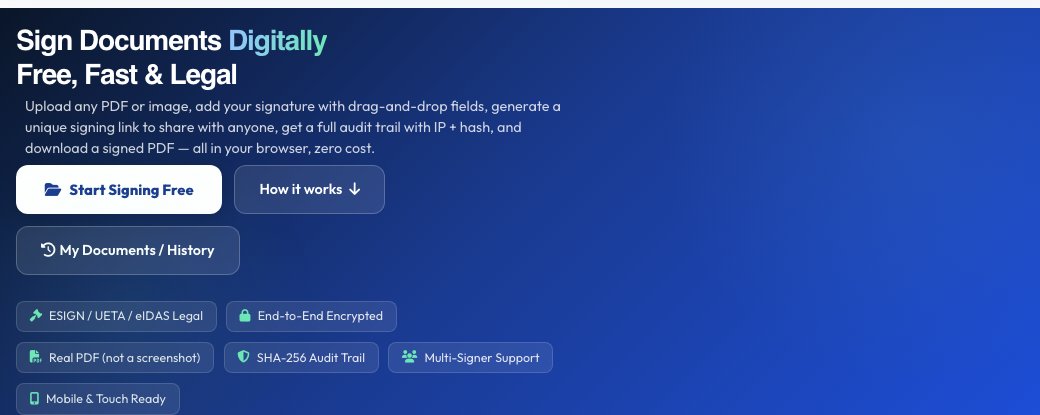
Sign Documents Digitally
Free, Fast & Legal
Upload any PDF or image, add your signature with drag-and-drop fields, generate a unique signing link to share with anyone, get a full audit trail with IP + hash, and download a signed PDF — all in your browser, zero cost.
Complete DocuSign-Style Workflow
Every feature built in — free, forever, no API keys needed
1. Upload & View Document
Upload PDF (multi-page rendered via PDF.js), PNG, JPG, or DOCX. Zoom in/out, navigate pages.
2. Generate Unique Signing Link
A cryptographic token URL is created. Copy it, email it, or send via WhatsApp. Expires in 30 days.
3. Sign, Submit & Download
Place fields, sign, then hit Submit to Sender — the signed PDF is sent back automatically. Sender sees it in their dashboard instantly. Also download locally.
Drop your document here
Drag & drop or click to browse. PDFs are rendered page-by-page via PDF.js.
Private — your file is only used to place your signature, and is not kept unless you create a signing link (deleted after 30 days)
Audit Trail — Signing Certificate
Log in to Download
Your signed PDF is ready! Log in or sign up free to download it and keep your signing sessions secure.
Already signed in? Refresh the page
Confirm & Sign
Create Your Signature
Draw your signature below using mouse or touch:
Add Text Field
Add Official Seal / Stamp
Add Comment / Note
See Free eSignDoc — Sign Documents Digitally Online in action
Free eSignDoc — Sign Documents Digitally Online
eSignDoc runs a complete DocuSign-style signing workflow in five stages: upload your document, share a signing link, the signer(s) sign it, an audit trail is recorded, and finally you submit and download the completed, signed file. It accepts PDF, image and Word document uploads as the source file to be signed.
The share step lets you control whether signers must be logged in to open the document, generates a shareable signing link with an expiry, and tracks signer progress. A sender dashboard shows the document's status (waiting, signed, etc.) so you always know where a document stands in the process.
Key features
Five-step guided workflow
Upload, share, sign, audit trail and submit/download are laid out as clear sequential steps.
Shareable signing links
Generate a link with an optional login requirement and a visible expiry time for each signer.
Multi-signer tracking
Add multiple signers and track each one's signing progress from a signer list.
Sender dashboard & audit trail
See document status at a glance and keep an audit trail of the signing activity.
How to use it
- Upload the document to be signed (PDF, image, DOC or DOCX).
- Add signers and generate a shareable signing link, choosing whether login is required.
- Share the link — each signer opens it and applies their signature.
- Check the sender dashboard for status, then download the completed, signed document.
Worked example
Example
You need a client to sign a service agreement. Upload the PDF, add the client as a signer, toggle off the login requirement so they can sign without creating an account, and copy the generated signing link into an email. Once they sign, the dashboard shows the document as completed and you download the signed copy.
Who uses this tool
Freelancers & small businesses
Get contracts and agreements signed by clients without printing, scanning or third-party paid tools.
HR teams
Send offer letters or onboarding forms for digital signature and track completion.
Landlords & agents
Get lease or rental agreements signed remotely with a clear audit trail.
Tips for the best results
- Require login for sensitive documents to add an extra layer of identity confidence on the signature.
- Check the signing link's expiry before sharing so it doesn't lapse before the signer gets to it.
- Use the sender dashboard to follow up with signers who haven't completed yet, instead of guessing.
- Download and store the completed, signed document promptly once all signers finish.
Common mistakes to avoid
- Sharing a signing link without checking whether login is required, which can block a signer who doesn't have or want an account.
- Losing track of the signing link after sending it — bookmark the dashboard to check status later.
- Assuming a scanned/photographed document uploads as cleanly as a native PDF — check the preview before sharing for signature.
Why use AZRS QuickFix?
It is 100% free, needs no signup and has no watermark or usage limits. The tool runs in your browser, so what you type stays on your device, and it works on phones, tablets and desktops. New tools are added every week — bookmark this page or browse the full QuickFix toolbox.
Frequently asked questions
Is eSignDoc free?
Yes, the signing workflow is free to use with no signup barrier for signers if login isn't required.
What file types can I upload for signing?
PDF, PNG/JPG images, and Word documents (DOC/DOCX).
Do signers need an account?
Only if you turn on the 'Login required' toggle when sharing; otherwise they can open the link and sign directly.
Is there an audit trail?
Yes, the workflow includes an audit trail step tracking the signing activity for the document.
Can multiple people sign the same document?
Yes, add multiple signers and track each one's progress in the signer list.
Is this legally binding?
Digital signatures are broadly recognised in many jurisdictions, but legal validity depends on your local laws and the nature of the document — check requirements for anything high-stakes.