GIF Maker from Images
Turn a series of photos into an animated GIF · free, no signup
See GIF Maker from Images in action
Free GIF Maker — Turn Photos into an Animated GIF
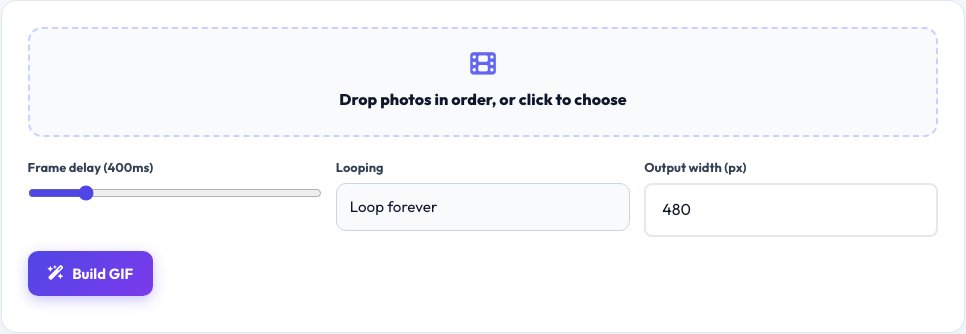
Drop in a sequence of photos or screenshots, drag them into the order you want, and this tool builds a looping animated GIF from them. Set the delay between frames from a fraction of a second to several seconds, choose whether it loops forever or plays once, and preview the animation before exporting.
It works well for a quick before/after comparison, a short stop-motion sequence, a product spin from a few angles, or a reaction GIF made from a handful of screenshots. The frames are encoded into a GIF entirely in your browser, so your images are never uploaded.
Key features
Drag-to-reorder frames
Arrange your photos into the exact sequence.
Adjustable frame delay
From quick flicks to slow slideshows.
Loop control
Loop forever or play once.
Private encoding
The GIF is built locally, not on a server.
How to use it
- Drop in your images, in any order.
- Drag to arrange the frame sequence.
- Set the frame delay and loop option.
- Preview and download the GIF.
Worked example
Example
5 progress photos, 400ms delay, loop forever → a smooth 2-second looping animated GIF.
Who uses this tool
Social media users
Make quick reaction and before/after GIFs.
Product sellers
Show a product from several angles in one image.
Teachers and presenters
Turn a sequence of diagrams into a simple animation.
Tips for the best results
- Keep the number of frames modest (under 20) so the GIF file size stays reasonable.
- Use similarly sized source images to avoid an animation that jumps around.
- A shorter delay (150–300ms) suits fast, punchy loops; a longer delay suits slideshows.
- Resize very large photos before adding them, since GIF files grow quickly with resolution.
Common mistakes to avoid
- Adding dozens of full-resolution photos, producing a huge file.
- Mixing very different image dimensions, which distorts or crops frames.
- Setting the delay so short the animation looks like a flicker instead of a smooth loop.
Why use AZRS QuickFix?
It is 100% free, needs no signup and has no watermark or usage limits. The tool runs in your browser, so what you type stays on your device, and it works on phones, tablets and desktops. New tools are added every week — bookmark this page or browse the full QuickFix toolbox.
Frequently asked questions
What image formats can I use?
JPG, PNG and WebP images can all be added as frames.
Is there a frame limit?
There is no hard limit, but very large numbers of frames or very large photos increase processing time and file size.
Are my photos uploaded?
No. Frames are combined and encoded into a GIF entirely in your browser.
Can I control the animation speed?
Yes, set the delay per export from fast to slow.
Can I make it loop only once?
Yes, turn off looping to make it play a single time.
Why is my GIF file large?
GIFs are uncompressed frame by frame; fewer frames and smaller image dimensions keep the file size down.