Photo Collage & Grid Maker
Arrange several photos into a grid or collage and download one image · free, no signup
See Photo Collage & Grid Maker in action
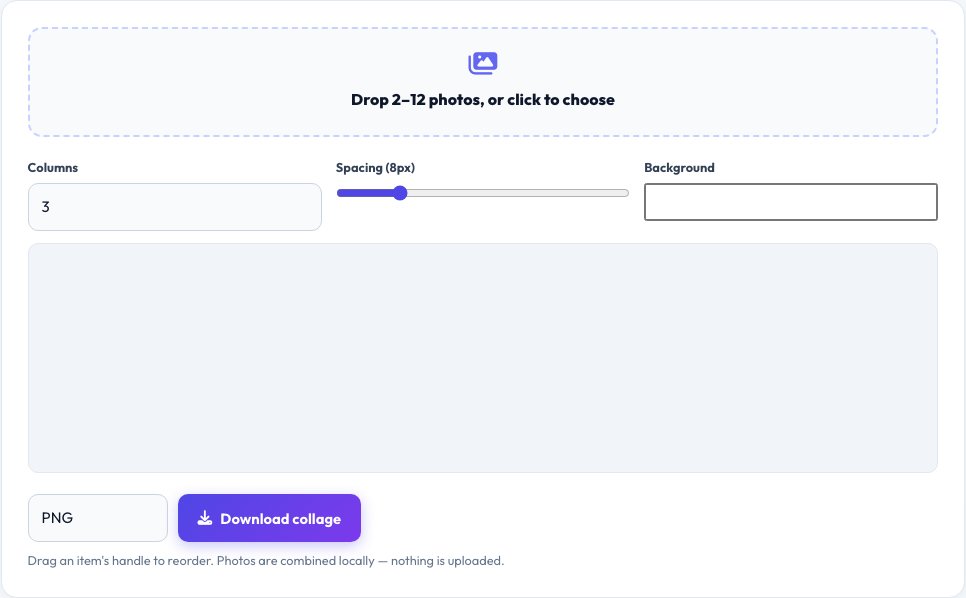
Free Photo Collage & Grid Maker
Drop in anywhere from 2 to 12 photos and this tool arranges them into a clean grid or collage — choose 2, 3 or 4 columns, a square or Instagram-style layout, adjust the spacing between photos and the border colour, then reorder photos by dragging them into place.
The final collage is rendered on a canvas at high resolution and downloaded as a single PNG or JPG image, ready to post or print. Photos are combined entirely in your browser, so nothing is uploaded to a server, and there is no watermark added.
Key features
Multiple layouts
2–4 column grids, square tiles and freeform sizes.
Reorder by dragging
Arrange photos exactly how you want them.
Spacing and background
Adjustable gaps and border colour.
High-resolution export
Download a single PNG or JPG combined image.
How to use it
- Drop in your photos (2 to 12).
- Choose a grid layout and column count.
- Drag to reorder, and adjust spacing and background.
- Download the combined image.
Worked example
Example
6 holiday photos → 3-column grid, 8px white spacing → one 2400×1600px JPG ready to post.
Who uses this tool
Social media users
Combine several photos into one Instagram or Facebook post.
Families
Make a simple printable photo collage for a gift or card.
Event organisers
Create a quick highlights grid from event photos.
Tips for the best results
- Use photos with a similar orientation for the most even grid.
- A white or black background usually looks cleanest with mixed photo shapes.
- Keep the collage under about 12 photos so each one stays recognisable.
- Export as PNG for the sharpest quality, JPG for a smaller file size.
Common mistakes to avoid
- Mixing very different aspect ratios in a tight grid, which crops photos awkwardly.
- Making the spacing too wide, leaving the collage looking sparse.
- Using very low-resolution photos, which look blurry when enlarged in the grid.
Why use AZRS QuickFix?
It is 100% free, needs no signup and has no watermark or usage limits. The tool runs in your browser, so what you type stays on your device, and it works on phones, tablets and desktops. New tools are added every week — bookmark this page or browse the full QuickFix toolbox.
Frequently asked questions
How many photos can I combine?
Up to 12 in one collage, arranged in the grid layout you choose.
Are my photos uploaded anywhere?
No, everything is combined locally in your browser using canvas.
Can I reorder the photos?
Yes, drag any photo to a new position before downloading.
What file formats can I use?
JPG, PNG, WebP and most common image formats can be added.
Can I change the background colour?
Yes, pick any colour for the spacing between and around photos.
What size is the final image?
It scales to the resolution of your source photos, up to a practical canvas size limit in your browser.