Social Share Preview Simulator (Open Graph)
See how your link looks on Facebook, X, LinkedIn and Google before you share it · free, no signup
<meta property="og:..."> tags, and paste the values above.See Social Share Preview Simulator (Open Graph) in action
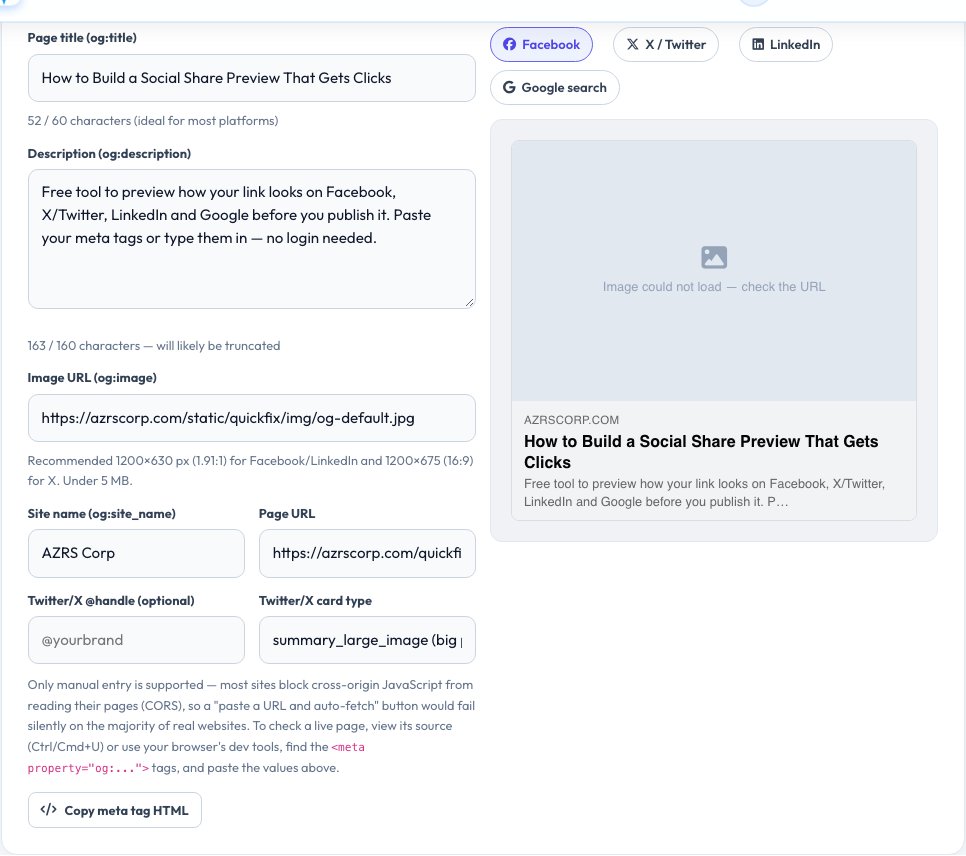
Social Share Preview Simulator — See Your Link Card Before You Publish
Before you publish a page or paste a link into a chat, it helps to know exactly what other people will see. This simulator lets you type or paste your title, description, image URL, site name and page URL, and instantly renders realistic preview cards for the four places a shared link is judged the most: Facebook's link card, X/Twitter's summary card, LinkedIn's post preview and Google's search result snippet.
Each preview updates live as you type, with a character counter so you can see exactly where Facebook, X and Google start truncating a title or description. When you are happy with the result, copy the ready-made block of <code><meta property="og:..."></code> and <code><meta name="twitter:..."></code> tags and paste it into your page's <code><head></code>. Manual entry is the reliable core of this tool: most websites block cross-origin JavaScript from reading their own pages (a security feature called CORS), so a one-click "fetch this URL's tags" button would silently fail on the majority of real sites — instead, view any page's source or dev tools to copy its current tag values in seconds.
Key features
Four live previews
Facebook, X/Twitter (large image or summary), LinkedIn and Google search.
Character counters
See exactly when a title or description gets truncated.
Broken-image detection
Warns you if the og:image URL fails to load.
Copy-ready meta tags
Generates the full HTML block for your page head.
How to use it
- Fill in your title, description, image URL, site name and page URL.
- Switch between the Facebook, X, LinkedIn and Google tabs to compare.
- Watch the character counters to keep titles and descriptions from being cut off.
- Copy the meta tag HTML and paste it into your page's head.
Worked example
Example
Title 72 characters → Google and X truncate it with an ellipsis around 60–70 characters, while Facebook shows more before wrapping — shortening it to under 60 characters keeps it intact everywhere.
Who uses this tool
Marketers and content writers
Check a link card looks right before a campaign goes out.
Developers
Get the exact meta tag HTML to paste into a page template.
Bloggers and small business owners
Make sure a shared link looks professional, not blank or broken.
Tips for the best results
- Use a 1200×630 px image for Facebook/LinkedIn and 1200×675 px for X's large-image card.
- Keep titles under about 60 characters and descriptions under about 160 so nothing is cut off.
- Always set an absolute image URL (starting with https://), never a relative path.
- After publishing, clear each platform's cache (Facebook Sharing Debugger, X Card Validator) since they cache old previews.
Common mistakes to avoid
- Using a relative image path like /images/photo.jpg, which fails once shared off-site.
- Forgetting og:description, which makes some platforms fall back to random page text.
- Publishing an image smaller than the platform's minimum, which gets rejected or stretched.
- Assuming the preview updates instantly on social platforms — they cache aggressively and need a manual re-scrape.
Why use AZRS QuickFix?
It is 100% free, needs no signup and has no watermark or usage limits. The tool runs in your browser, so what you type stays on your device, and it works on phones, tablets and desktops. New tools are added every week — bookmark this page or browse the full QuickFix toolbox.
Frequently asked questions
Why is there no auto-fetch from a live URL?
Browsers block cross-origin reads of another site's HTML by default (CORS). Reliable auto-fetch would need a server-side proxy, so this tool focuses on accurate manual entry — the same information is a few seconds away in your browser's View Source or dev tools.
What size should my og:image be?
1200×630 px works well everywhere; some platforms crop it to other ratios, so keep the main subject centred.
Why does Facebook still show my old preview?
Facebook caches shared links. Use the Facebook Sharing Debugger to force it to re-fetch your tags.
Do I need separate Twitter/X tags?
X reads twitter:* tags first and falls back to og:* tags if they are missing, so it is safest to include both.
Is my data sent anywhere?
No. Everything is rendered locally in your browser from what you type.
What is the Google preview based on?
Google usually generates its own snippet from the page title and meta description, occasionally rewriting it — this preview shows the best-case version based on your tags.