White Noise & Focus Sound Generator
Play white, pink or brown noise and other focus/sleep sounds in your browser · free, no signup
See White Noise & Focus Sound Generator in action
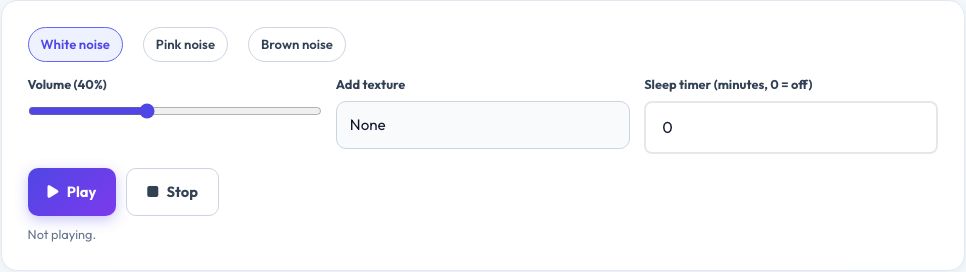
Free White Noise & Focus Sound Generator
White, pink and brown noise are broadband sounds that mask sudden background noises and help with sleep, focus and tinnitus relief. Rather than streaming a pre-recorded file, this tool generates the noise live in your browser using the Web Audio API, so it can play seamlessly for as long as you like with no file to download and no interruptions.
Mix in a soft rain-like or fan-like texture, adjust the overall volume, and set a sleep timer that fades the sound out and stops automatically after a chosen number of minutes. It works entirely offline once the page has loaded and nothing is recorded or sent anywhere.
Key features
Three noise colours
White (flat), pink (softer, more natural) and brown (deep, rumbling).
Layer extra textures
Add a light rain- or fan-like layer.
Sleep timer
Fades out and stops automatically.
Generated live
No file to download, plays indefinitely.
How to use it
- Choose white, pink or brown noise.
- Adjust the volume to a comfortable level.
- Optionally layer in a rain or fan texture.
- Set a sleep timer if you want it to stop automatically.
Worked example
Example
Brown noise at 40% volume with a 45-minute sleep timer → plays steadily, then fades out over the last minute and stops.
Who uses this tool
People who have trouble sleeping
Mask household or traffic noise with a steady sound.
Students and remote workers
Block distracting background chatter while focusing.
Parents
A steady sound to help settle a baby or toddler.
Tips for the best results
- Pink or brown noise is often described as gentler than white noise for sleep — try each to see what you prefer.
- Keep the volume moderate; noise machines are meant to be a steady background, not loud.
- Use the sleep timer so the sound does not play all night unnecessarily.
- Combine with a dark, cool room for the best sleep environment.
Common mistakes to avoid
- Playing it too loudly, which can itself become a distraction or hearing risk.
- Expecting it to fully block loud, sudden noises — it masks steady background noise best.
- Leaving it running for hours unattended with no sleep timer set.
Why use AZRS QuickFix?
It is 100% free, needs no signup and has no watermark or usage limits. The tool runs in your browser, so what you type stays on your device, and it works on phones, tablets and desktops. New tools are added every week — bookmark this page or browse the full QuickFix toolbox.
Frequently asked questions
What is the difference between white, pink and brown noise?
White noise has equal energy across all frequencies; pink noise reduces higher frequencies for a softer sound; brown noise reduces them further for a deep, rumbling tone.
Is white noise safe for babies?
Many parents use it, generally at a moderate volume and a safe distance from the crib — check current guidance for volume and duration.
Does it use much data?
No, the sound is generated locally and does not stream any audio file.
Can I leave it running overnight?
Yes, or set the sleep timer to stop it automatically after you fall asleep.
Will it work with the screen locked?
Behaviour depends on your device and browser; keeping the tab active in the foreground is most reliable.
Is anything recorded?
No, the sound is generated and played only in your browser; nothing is recorded or uploaded.