Binary & Text
Converter
Convert binary code ↔ readable text, hex, octal, and decimal — instantly in your browser. No upload, no server, 100% private.
Common characters with their binary, hex, octal and decimal values.
| Char | Description | Dec | Binary | Hex | Octal |
|---|
See Free Binary & Text Converter (Binary, Hex, Octal, Decimal) in action
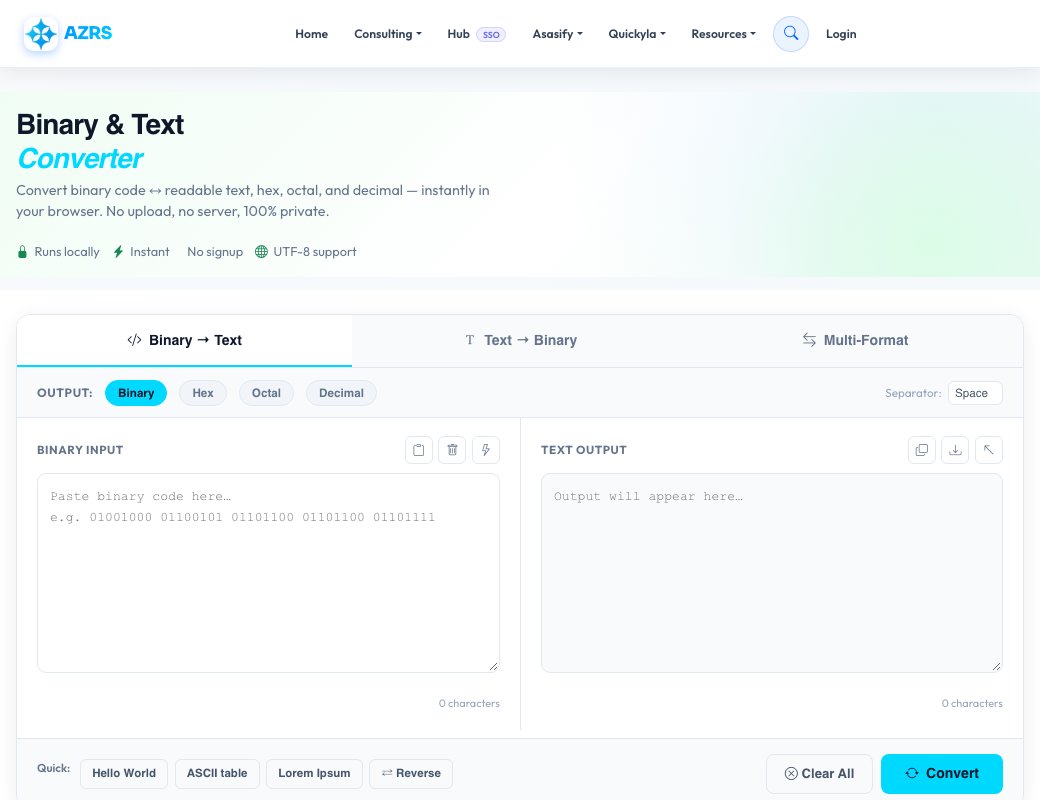
Free Binary & Text Converter (Binary, Hex, Octal, Decimal)
Convert text to and from four different number bases — binary, hexadecimal, octal and decimal — using a simple two-pane, live-converting interface. Switch between Binary→Text and Text→Binary modes with dedicated tabs, or use the Multi mode to see a single piece of text represented in all four bases side by side at once.
A separator option lets you control how the encoded output is grouped (spaces, dashes or none), and a live stats row shows input/output character counts, total bytes and the currently selected encoding, so you always know exactly what you're looking at.
Key features
Four number bases
Convert between text and binary, hex, octal or decimal representations, not just binary and hex.
Bin→Text and Text→Bin modes
Dedicated tabs for each direction, plus live conversion as you type.
Multi-base view
See the same text encoded in binary, hex, octal and decimal simultaneously in one panel.
Configurable separator
Choose how encoded groups are separated in the output for easier reading or reuse elsewhere.
How to use it
- Choose a mode: Binary→Text, Text→Binary or Multi.
- Pick the encoding base: binary, hex, octal or decimal.
- Type or paste into the input pane and watch the output update live.
- Copy the result, or switch to Multi mode to see all bases at once.
Worked example
Example
Type "Hi" in Text→Binary mode and the output pane instantly shows 01001000 01101001. Switch to Multi mode and the same text also shows as 48 69 in hex, 110 151 in octal and 72 105 in decimal, all at the same time.
Who uses this tool
Computer science students
See exactly how text characters map to binary, hex, octal and decimal values.
Developers
Quickly decode a binary, hex or octal string found in logs, data dumps or low-level debugging.
Puzzle & CTF enthusiasts
Decode binary, hex or octal-encoded messages without switching between separate tools.
Tips for the best results
- Use Multi mode when you want to compare all four encodings of the same text at a glance.
- Hex is a quarter the length of binary for the same data — use it for long text where binary would be unwieldy.
- The separator option matters if you're pasting output into another tool that expects a specific delimiter.
- Remember non-ASCII characters can encode to more than one byte, which changes the output length.
Common mistakes to avoid
- Mixing up which base you're reading — check the encoding label above the output before copying it elsewhere.
- Assuming one character always equals one byte, which isn't true for many accented characters or emoji.
- Pasting text with unexpected separators into a strict parser that doesn't expect spaces or dashes.
Why use AZRS QuickFix?
It is 100% free, needs no signup and has no watermark or usage limits. The tool runs in your browser, so what you type stays on your device, and it works on phones, tablets and desktops. New tools are added every week — bookmark this page or browse the full QuickFix toolbox.
Frequently asked questions
Is this converter free?
Yes, free with no signup, and it runs entirely in your browser.
What's the difference between this and other binary/hex converters on the site?
This tool adds octal alongside binary, hex and decimal, and includes a Multi mode showing all four bases for the same text at once, rather than switching manually between two bases.
Can I convert binary back to text?
Yes, switch to Binary→Text mode and paste your binary, hex, octal or decimal string in.
Does it handle non-English text?
Yes, standard character encoding is used so accented characters are supported, though multi-byte characters produce more encoded output per character.
Is my text sent anywhere?
No, all conversion happens locally in your browser.
What does the stats row show?
Live input/output character counts, total bytes and the currently selected encoding base.