Image Noise Reducer (Denoiser)
Reduce real grain and sensor noise in a photo using an actual pixel-level denoising filter, right in your browser · free, no signup
See Image Noise Reducer (Denoiser) in action
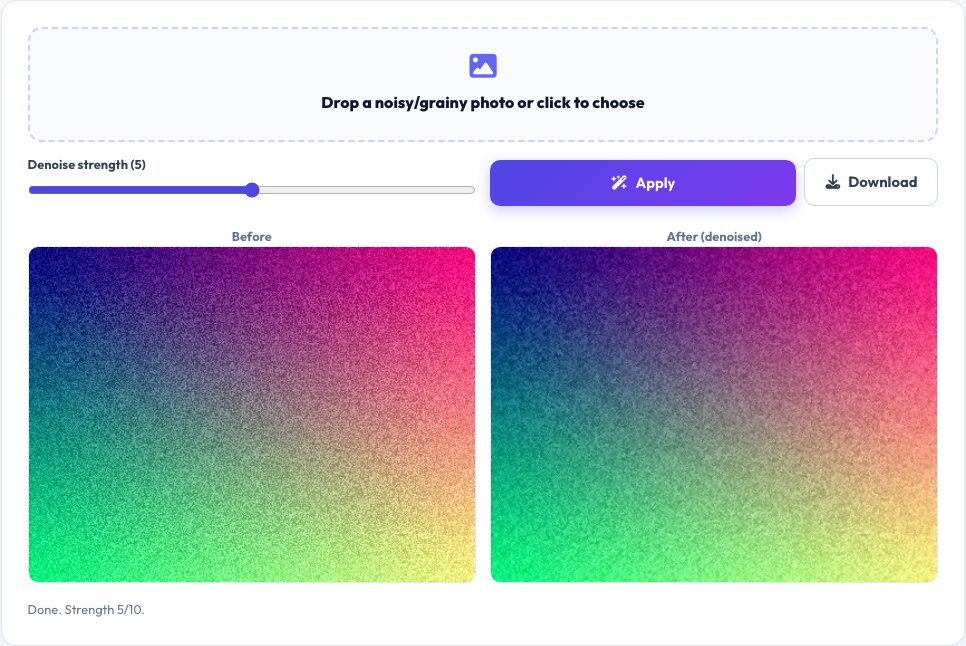
Image Noise Reducer
Photos taken in low light or at a high ISO setting pick up real sensor noise — random pixel-to-pixel brightness and color variation that looks like grain. This tool applies a real edge-aware smoothing filter directly to the image's actual pixel data on a canvas: each pixel is replaced with a weighted average of its neighbors, weighted more heavily toward similar-colored neighbors so real edges and detail are preserved while random noise gets smoothed out, rather than a simple blur that would also soften genuine detail.
An adjustable strength slider controls how aggressively the filter smooths, and a before/after preview lets you compare the result directly against the original so you can dial in the right balance between noise reduction and detail preservation for your specific photo.
Key features
Real edge-aware pixel filtering
Averages each pixel with its neighbors weighted by color similarity, not a flat blur that destroys detail.
Adjustable strength
Dial the denoising strength up for heavy grain or down to preserve more fine detail.
Before/after comparison
See the original and denoised image side by side before downloading.
Runs entirely in your browser
The photo is processed locally on a canvas — nothing is uploaded to any server.
How to use it
- Upload a noisy or grainy photo.
- Adjust the denoising strength slider and watch the live preview update.
- Compare the before/after to find the right balance for your photo.
- Download the cleaned image.
Worked example
Example
A photo taken at ISO 6400 with visible grain in shadow areas, run through the filter at medium strength, shows noticeably smoother shadows and skin tones while edges like hair strands and text remain sharp, because the filter weights neighboring pixels by how similar they already are.
Who uses this tool
Anyone with old high-ISO or low-light photos
Reduce visible grain before printing, sharing or archiving.
Photographers cleaning up phone-camera shots
Smooth out sensor noise from small phone camera sensors, especially in indoor or evening shots.
Anyone restoring a scanned or compressed old photo
Reduce noise introduced by scanning or heavy compression before further editing.
Tips for the best results
- Higher denoising strength removes more noise but can also start softening fine real detail — use the before/after comparison to find the point where noise is reduced without losing texture you want to keep.
- This works best on genuine sensor/grain noise; it won't remove motion blur or out-of-focus blur, which are different problems with different fixes.
- For photos you'll print large, denoise moderately and check the result at full zoom, since aggressive smoothing is more visible at large print sizes.
Common mistakes to avoid
- Applying maximum strength by default, which can leave photos looking artificially smooth or 'plastic' — start at a lower strength and increase only as needed.
- Expecting the filter to fix heavy motion blur or focus blur, which is a different kind of image degradation that denoising doesn't address.
- Denoising an already-compressed low-quality JPEG expecting it to recover detail that compression already destroyed — the filter can only smooth existing pixels, not invent lost detail.
Why use AZRS QuickFix?
It is 100% free, needs no signup and has no watermark or usage limits. The tool runs in your browser, so what you type stays on your device, and it works on phones, tablets and desktops. New tools are added every week — bookmark this page or browse the full QuickFix toolbox.
Frequently asked questions
How does this actually reduce noise?
It applies a real edge-aware filter to the image's pixel data: each pixel becomes a weighted average of its neighboring pixels, weighted more toward neighbors with a similar existing color, so random per-pixel noise gets smoothed out while genuine edges (where neighboring colors are naturally very different) are mostly preserved.
Will this blur my whole photo?
A flat blur would; this filter is edge-aware, meaning it weights the averaging by color similarity, so it smooths more where pixels already look similar (likely noise) and less across real edges — but at very high strength some softening of fine detail is unavoidable, which is why the strength slider and before/after preview exist.
Does it work on any photo format?
Any format your browser can decode into an image, including JPEG, PNG and WebP; the result is downloaded as PNG to avoid adding new compression artifacts.
Can it fix a blurry, out-of-focus photo?
No — this specifically targets sensor/grain noise (random pixel variation), not motion blur or focus blur, which are optical problems with no pixel-averaging fix.
Is the photo uploaded anywhere?
No, the entire filter runs on a canvas in your browser; the image never leaves your device.
Is my data stored?
No, nothing is saved after you leave the page.