Apple enhances AI Clean Up tool in iOS 27 for iPhone 15 Pro
Apple's upgraded AI Clean Up tool in iOS 27 allows iPhone users to remove unwanted objects from photos with improved accuracy, especially on the iPhone 15 Pro and later models. This enhancement is cr…
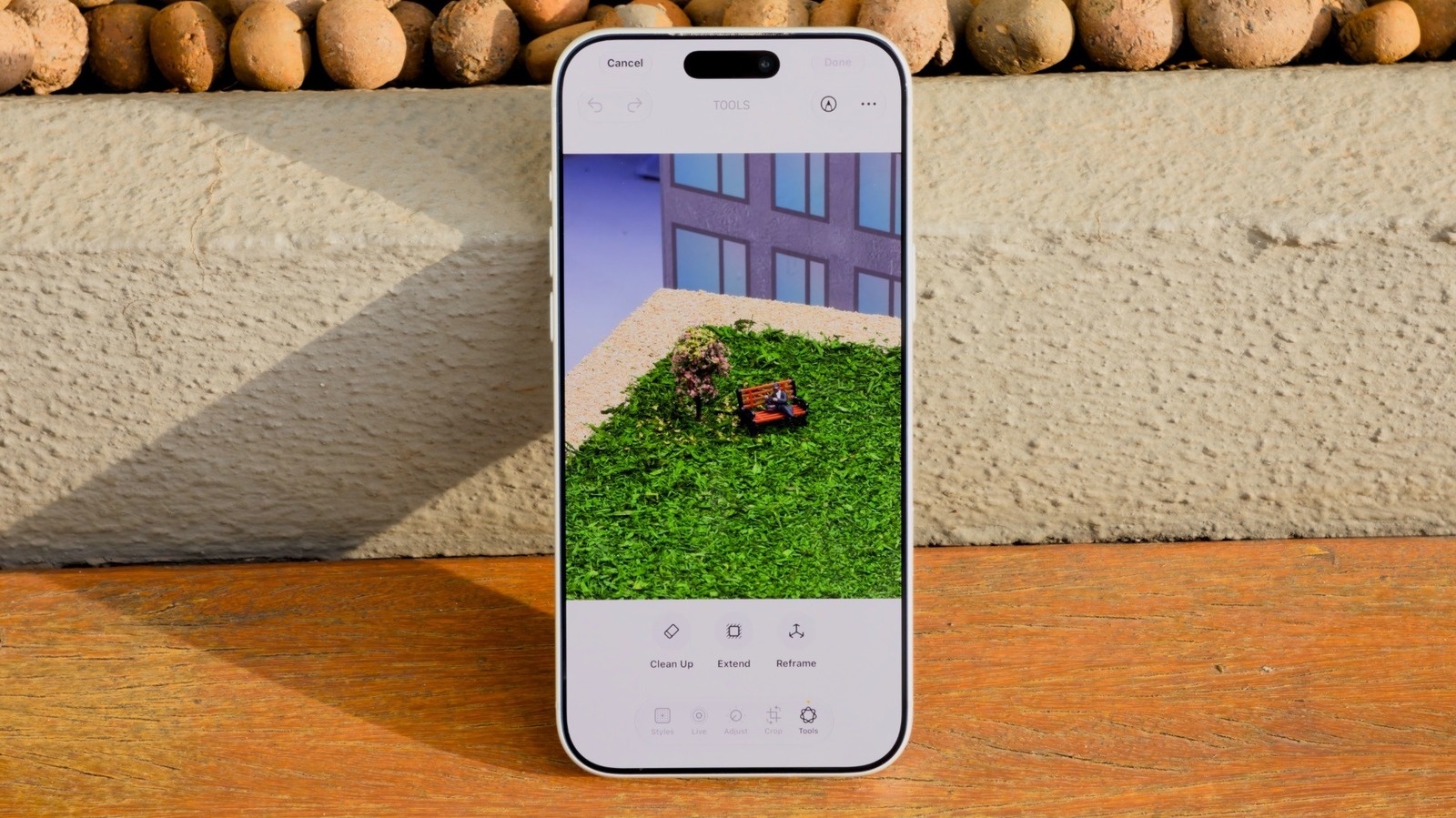
Apple has rolled out an upgraded AI Clean Up tool in iOS 27, enhancing its Photos app to help users remove unwanted objects from their pictures. This update, which launched with the latest version of iOS, is expected to improve the accuracy of edits, particularly for users of the iPhone 15 Pro and later models. The Clean Up feature has been part of the Photos app since iOS 18, but it has struggled to compete with similar tools offered by rival devices.
The timing of this upgrade is significant as Apple faces increasing competition in the smartphone market, particularly from brands that excel in photography software. With the rise of social media and the demand for high-quality images, the need for effective photo editing tools has never been greater. By enhancing the Clean Up tool, Apple aims to provide users with a more robust editing experience, allowing them to eliminate distractions from their photos more effectively.
Users familiar with the Clean Up feature will notice new controls in iOS 27. When editing a photo, they can choose between three processing modes: Auto, Fast, and High Quality. The Auto mode lets the phone decide the best approach based on the complexity of the image. Fast mode offers quick edits for simpler tasks, while High Quality mode utilizes advanced AI algorithms for more complicated edits, like removing multiple people from a selfie. However, users should be aware that the High Quality option may drain battery life and take longer to process.
In addition to Clean Up, iOS 27 introduces two other editing features: Extend and Reframe. Extend allows users to expand the image area around a photo, which is useful for selfies taken too close to the subject. Reframe changes the perspective of an image, allowing users to adjust the angle without needing to retake the shot. While these new features enhance the editing capabilities of the Photos app, users may find that results can vary, with some edits looking more natural than others. Overall, these updates show Apple's commitment to improving user experience and staying competitive in the photography space.
Read Full Story at Engadget →